
How it works

Move a beauty business into OYRB without making the pro rebuild from zero.

Bring over what already exists, publish a branded booking site, protect the calendar, then use Business Brain to make better decisions from real booking data.

See it in action.

Four steps, eight real screens. Tap any phone to watch it full size.

Step 1 · Bring your roster

“drop your CSV”
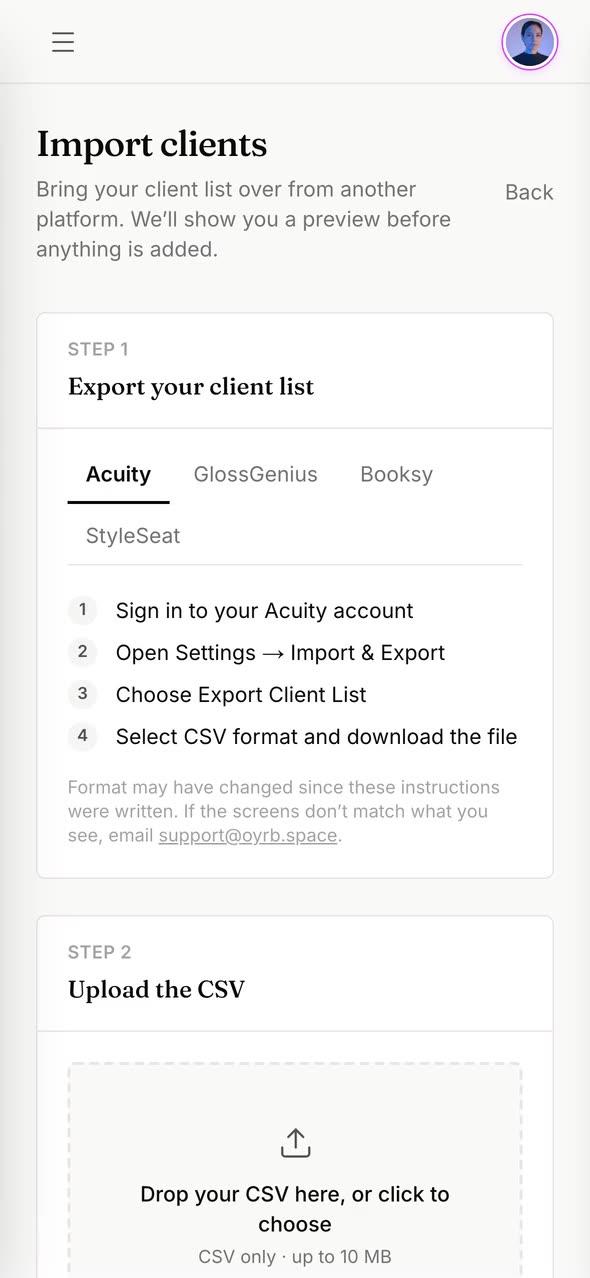
Client import

Import your clients

Names, emails, phones, and notes come over from a CSV.

“review first”
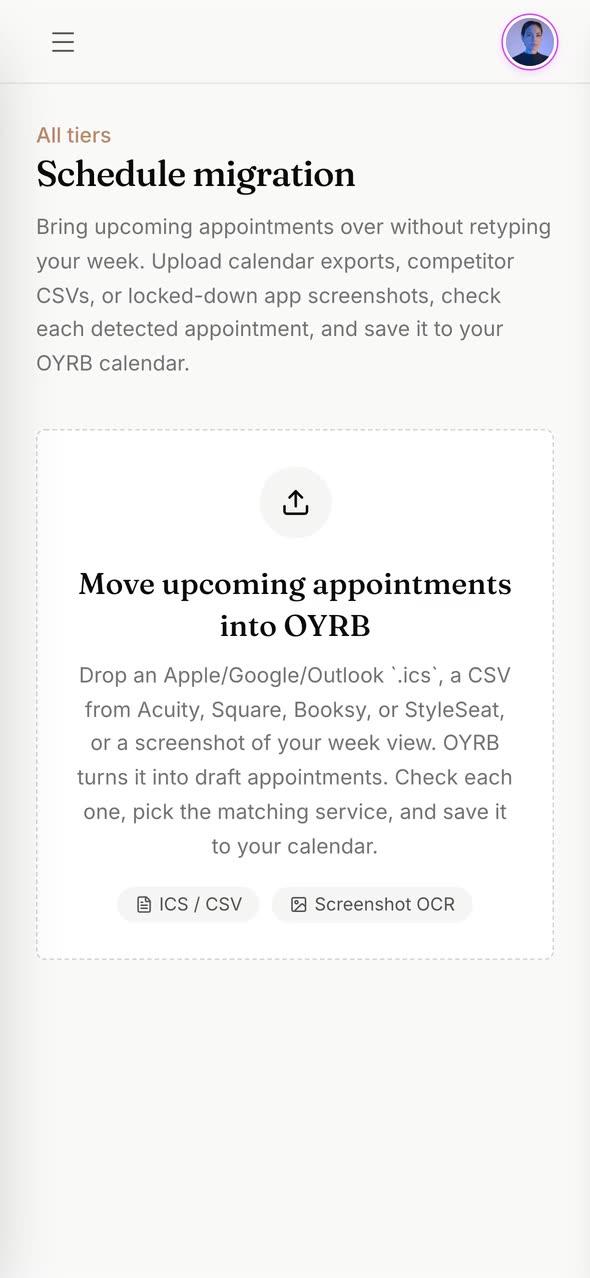
Bring Your Book

Review before saving

Imported appointments wait as drafts until you check them.

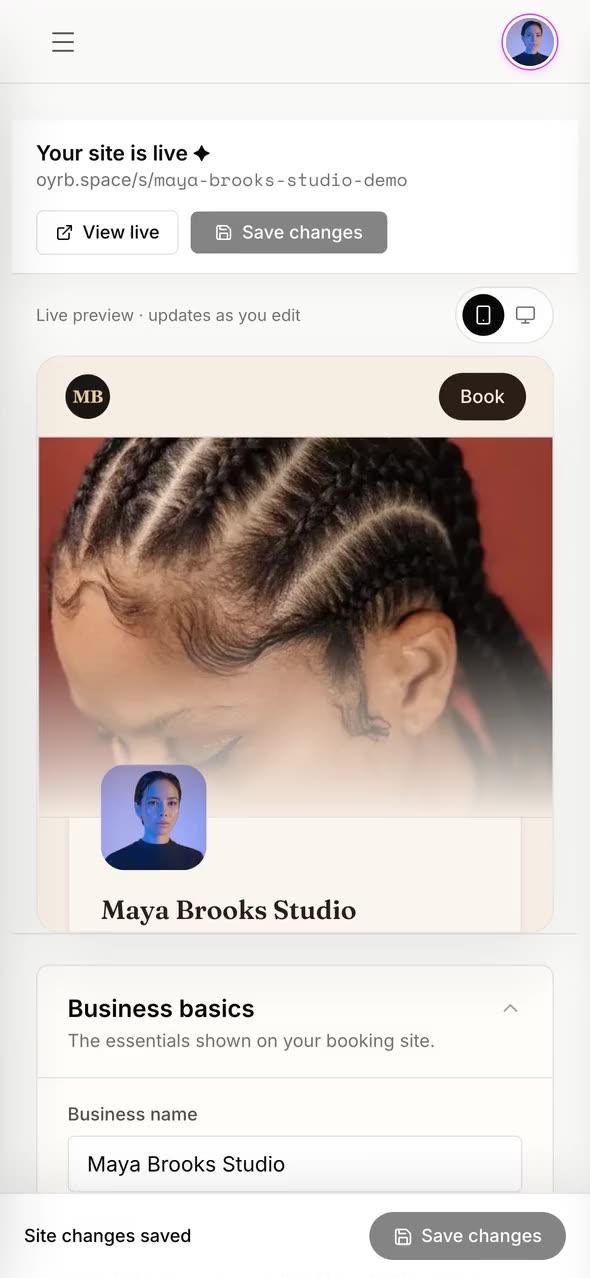
Step 2 · Launch your booking site

“new look”
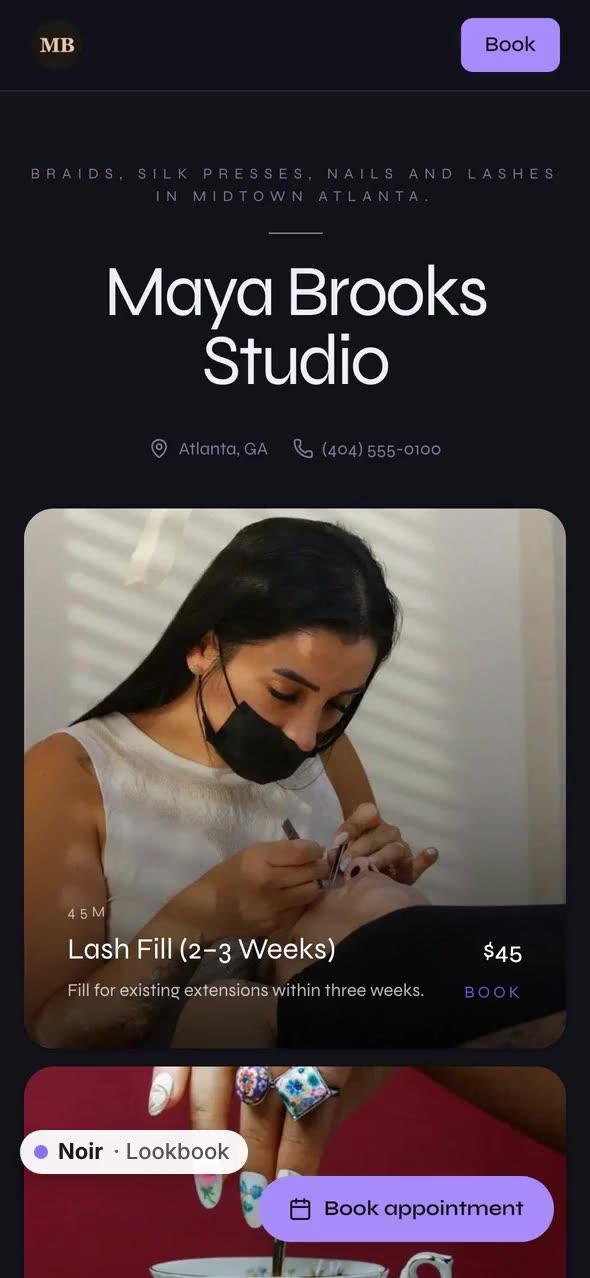
Themes

Switch your look

Noir, Street, and Prickly Pink on the same booking site.

“book in taps”
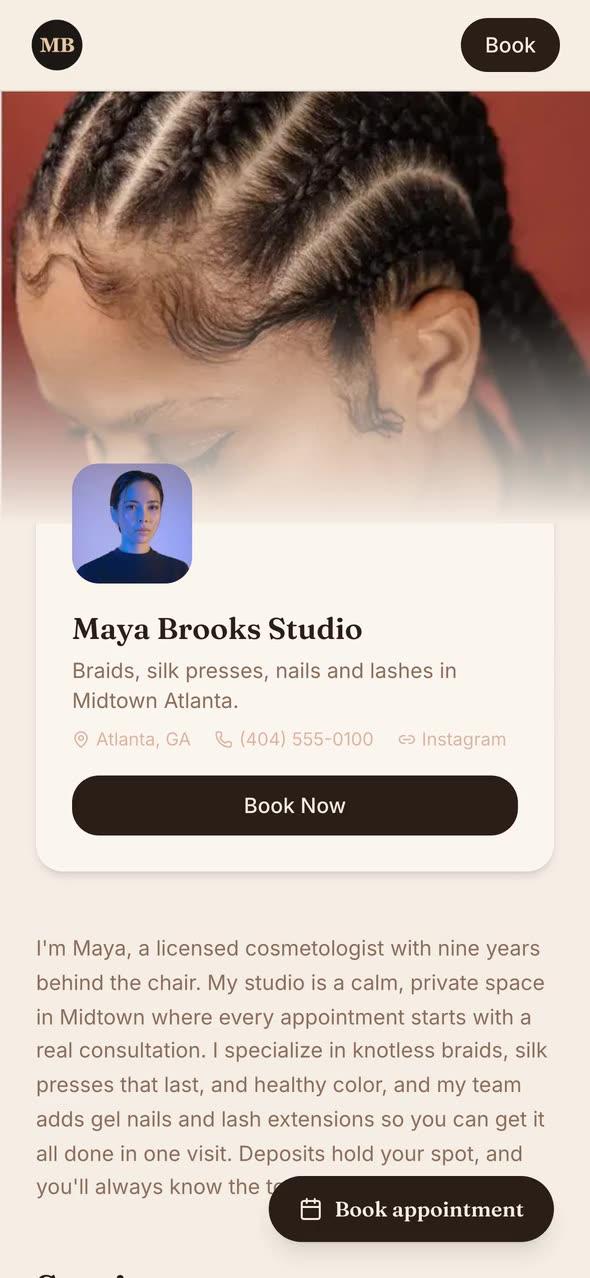
Booking site

Book in a few taps

Clients pick a service and a time on your own site.

Step 3 · Set policies and availability

“block a week”
Time protection

Hours and time blocks

Breaks and trips hide those times from clients.

“deposits”
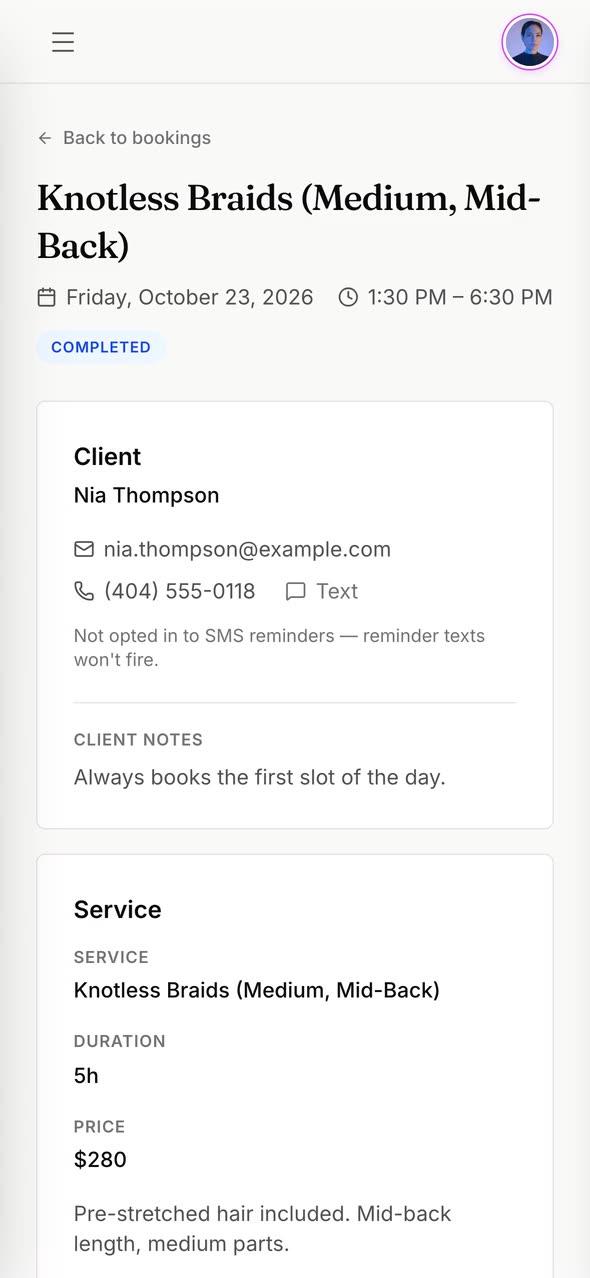
Deposits

Deposits and payments

Each booking shows its deposit, balance, and tip.

Step 4 · Track and improve with Business Brain

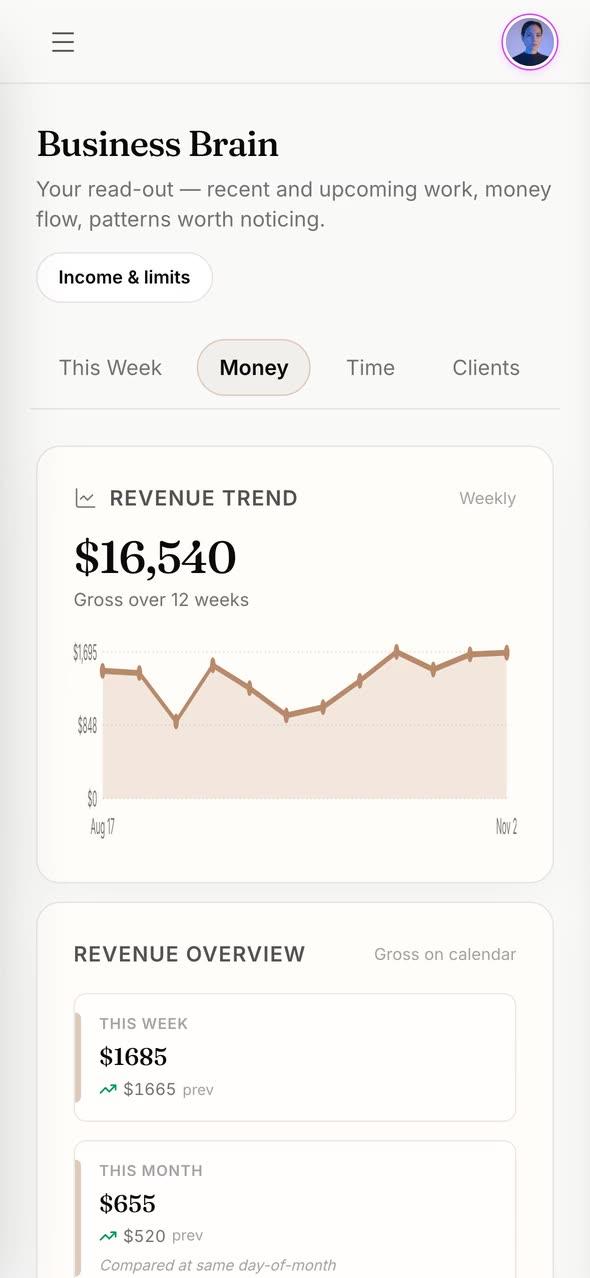
“real hourly rate”
Business Brain

See the real math

Revenue, true hourly earnings, and goal progress.

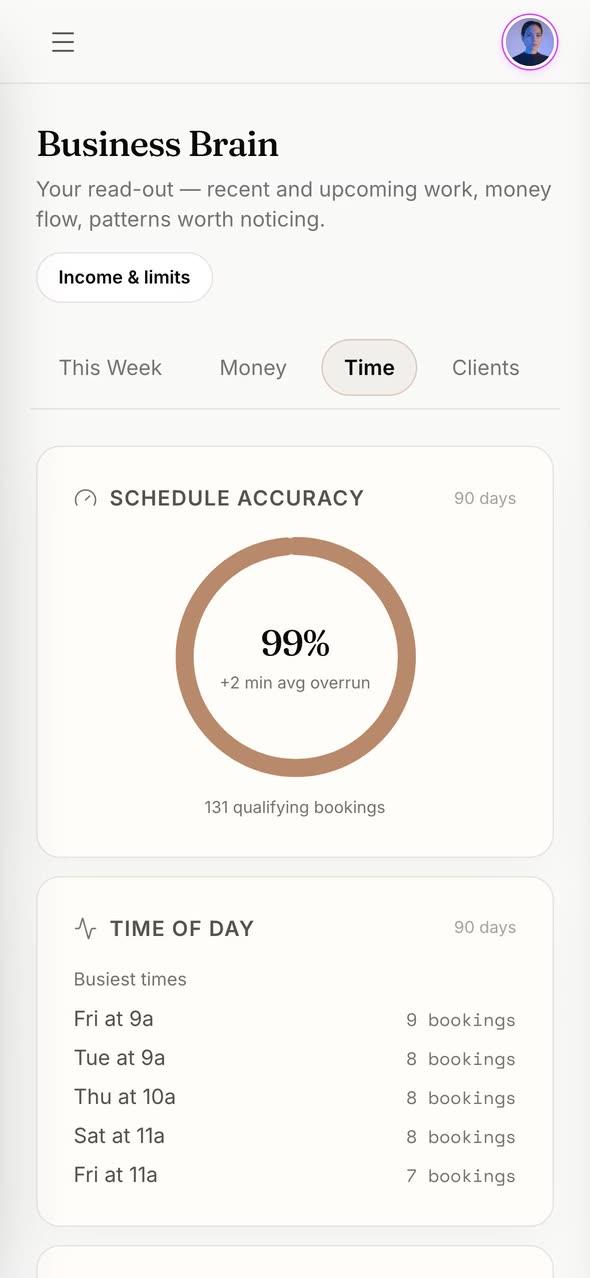
“your time”
Timing

Spot overruns

Which services run long and which days are busiest.

The four steps in detail.

Step 01Client import on all plans

Bring your roster

Start with the data pros already have. Free and Starter support client CSV import. Studio and Scale add the guided Bring Your Book flow for public setup review, appointment migration, and selected imported reviews.

Bring your book over: nothing is saved until you review it.

  • Client CSV import for names, emails, phones, and notes
  • Appointments stay reviewable before they are saved
  • Imported reviews are labeled and kept separate from verified OYRB ratings
Roster imported
Step 02Brand-owned booking

Launch your booking site

Choose the site, theme, and service menu that fit the pro's brand. OYRB keeps the relationship between the pro and the client instead of turning the pro into marketplace inventory.

Studio unlocks all 270 template combinations.

  • Free and Starter include one booking site
  • Studio includes two booking sites and all 270 template combinations
  • Every plan includes a brand-synced QR pro card
Site live
Step 03Time protection

Set policies and availability

Set the working rules before clients book. OYRB supports working hours, recurring breaks, time blocks, deposits, booking questions, and plan-specific client communication tools.

Deposits go to your own Stripe account with 0% transaction fees.

  • One-off and multi-day blocks hide public availability
  • Business time blocks do not inflate client or revenue stats
  • Deposits, booking questions, waitlist, and SMS unlock by plan
Stripe connected
Step 04Deterministic insight

Track and improve with Business Brain

Business Brain reads booking and timing signals to show useful patterns: true hourly earnings, service overruns, goal progress, schedule pressure, and where time or pricing needs attention.

See your true hourly earnings, not just revenue.

  • Timing capture is available across plans
  • Studio and Scale unlock deeper guardrails
  • Scale adds rebooking texts and price-raise notes
Insights updating

Ready to try it? Start free or compare plans.

No marketplace cut

Clients book the pro. The pro keeps the relationship.

Compare pricing
Start free